
Twelve Seats, original concept, not client work
A website concept for a small restaurant
The visitor decision it answersWill this evening be worth booking?
The first screen shows one plate of the October menu, says there are twelve seats and one sitting, and offers one button: reserve a table. The rest of the page, shown below, answers what a guest would want to know next.
 1
1
The whole page at a glance
The desktop design has nine parts. Part 1 is the first screen above. Scroll inside the frame for parts 2 to 9; the list says what each part does for someone deciding whether to book.
 2
2 3
3 4
4 5
5 6
6 7
7 8
8 9
9
- 1. First screen (shown above). Shows one plate, says twelve seats and one sitting, and offers one action: reserve a table.
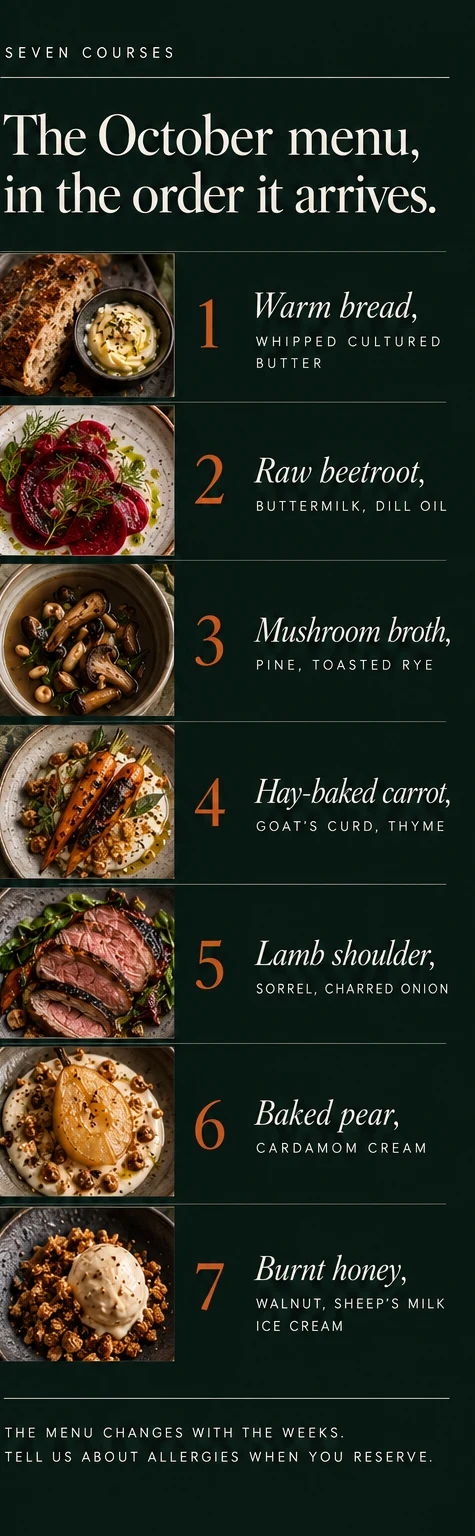
- 2. The October menu. Seven courses in the order they arrive, so the page sells the dinner, not a list.
- 3. One long table, twelve chairs. Shows the room from the street and says why it is small: one table, one sitting, one menu.
- 4. The farm gate. Explains why the menu changes with the weeks, with four kinds of produce named.
- 5. An evening at Twelve Seats. Four steps from arriving to the last course, with a reminder to mention allergies.
- 6. Drinks. Says every drink is made without alcohol and names four of them.
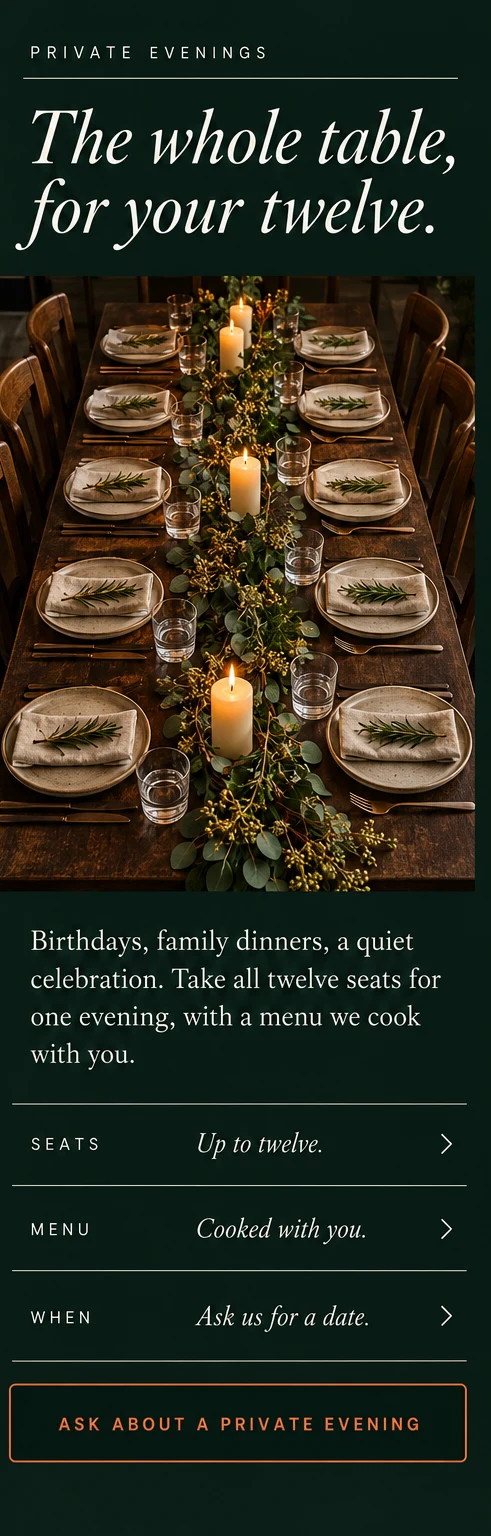
- 7. The whole table. Offers all twelve seats for a private evening, with a menu cooked with the guest.
- 8. Questions before dinner. Six answers, from allergies to whether alcohol is served.
- 9. Reserve your seat. A reservation card, opening days, the address and a promise to reply within a day.
On a phone
Four real phone windows from the mobile design, each cut from our design boards at its own size. The desktop page is not squeezed in.
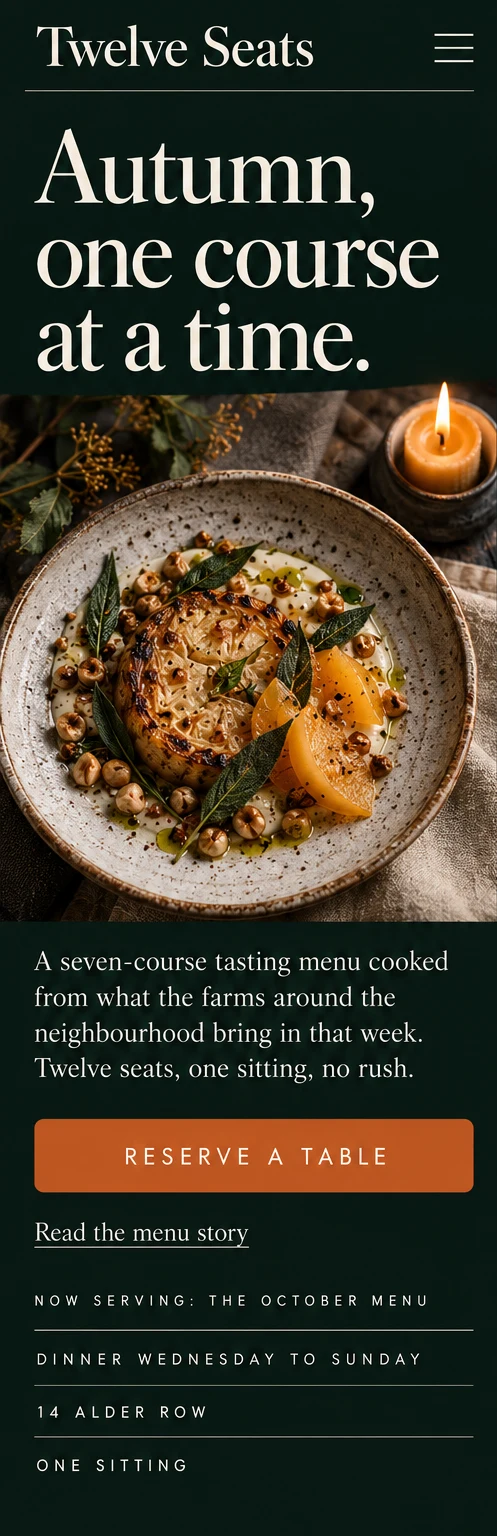
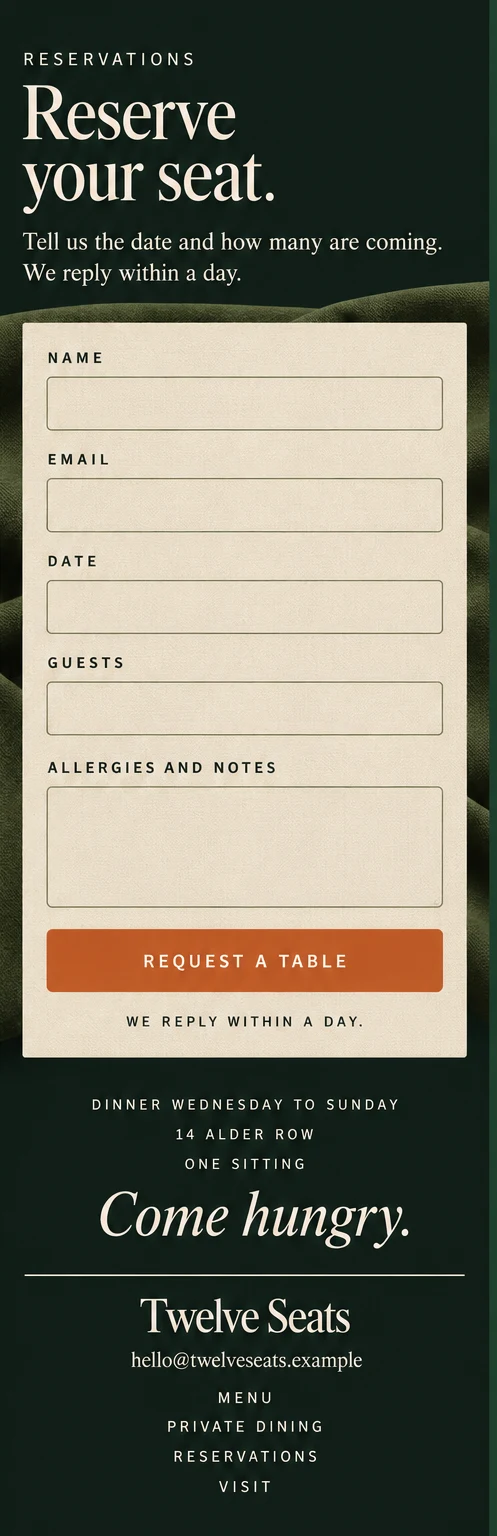
- Buttons run the full width. The Reserve a table button in window 1 is about 57 px tall at phone width, and Request a table in window 4 about 49 px (measured on the images).
- One column, nothing side by side. The menu becomes seven stacked rows and the reservation card becomes one narrow form, so no line needs a pinch to read.
- The first action is near the top. Reserve a table sits directly under the opening paragraph in window 1, about 1,100 px into a 1,536 px window, before the facts at the foot.
Why it is built this way
Four worries a guest has before booking a tasting menu, and the part of the page that answers each.
The visitor worriesWhat will I actually be eating?
The design answers, parts 1, 2 and 4The first screen shows a real plate, part 2 lists all seven courses in order, and part 4 says the menu is written from what nearby farms bring in that week.
The visitor worriesWhat will the evening be like?
The design answers, parts 3 and 5The room is shown from the street, and four steps describe the evening: arrive, settle, seven courses, the last course. One sitting, no rush.
The visitor worriesWill they look after my allergy or my diet?
The design answers, parts 2, 5 and 8The same sentence, tell us about allergies when you reserve, appears on the menu and the evening, and the questions cover allergies, a vegetarian evening and alcohol.
The visitor worriesCan I book it for a group?
The design answers, parts 7 and 9All twelve seats can be taken for one private evening, and the reservation card at the end is the same card for a table or a private evening.
What this would do for your business
A page like this has one job: turn people who are curious into people who ask for a table. This concept has never run for a real restaurant, so we have no results to show and will not invent any.
What we can promise is that you would be able to see what it is doing. We would set up the measuring when the site goes live, so after a few weeks you can tell what works and what to change. We do not promise a number of bookings: that depends on your restaurant, your area and your menu.
What we would measure
- Table requests. How many people send the reservation card, and for which dates.
- Private evening enquiries. How many ask about taking the whole table.
- Form completions. How many start the card, and how many finish it.
What we need from you
- Photos. Your real room, table, plates and kitchen.
- Your menu. The courses as you write them, and how often they change.
- Seats and sittings. How many seats, how many sittings and the opening days.
- Private dining terms. Group size, how you plan the menu and what to ask a guest.
- Allergy and diet policy. What you can and cannot cook for.
- Address, contact and who answers requests. A name or inbox, so no one waits.
You answer these questions and review the plan and design before anything goes live. Two design revision rounds are included.
Want guests to feel ready to book?
Tell us about your project and we reply with next steps. No cost, no obligation.