
Plain Terms Law, original concept, not client work
A website concept for a business law firm
The visitor decision it answersWill this firm be clear with me before I hire it?
The first screen strikes out the jargon in front of the visitor and writes the plain word above it, then offers one button: a first conversation. The rest of the page, shown below, answers what a nervous business owner would worry about next.
 1
1
The whole page at a glance
The desktop design has ten parts. Part 1 is the first screen above. Scroll inside the frame for parts 2 to 10; the list says what each part does for a business owner who is unsure about hiring a lawyer.
 2
2 3
3 4
4 5
5 6
6 7
7 8
8 9
9 10
10
- 1. First screen (shown above). Shows the jargon struck out and the plain word written in, and offers one action: a first conversation.
- 2. Four worries, answered plainly. Names what a visitor is afraid to ask, with a short answer to each.
- 3. Our plain-terms promise. Three commitments: plain words, no surprises, your decision.
- 4. What we do, in plain words. Contracts, company formation and disputes, each in three short lines.
- 5. How we work together. Four steps from sending a document to signing when ready.
- 6. How fees work. Three ways of charging explained without numbers, and a promise to agree in writing first.
- 7. Who you deal with. Four working habits of a small firm. Names are left for the real firm to add.
- 8. A clause, marked up. One clause before and after, with notes on what was cut.
- 9. Questions before you call. Six questions, from “Do I need a document ready?” to whether the first call is a commitment.
- 10. Bring us the document. A short enquiry form, where the page ends.
On a phone
Four real phone windows from the mobile design, each cut from our design boards at its own size. The desktop page is not squeezed in.


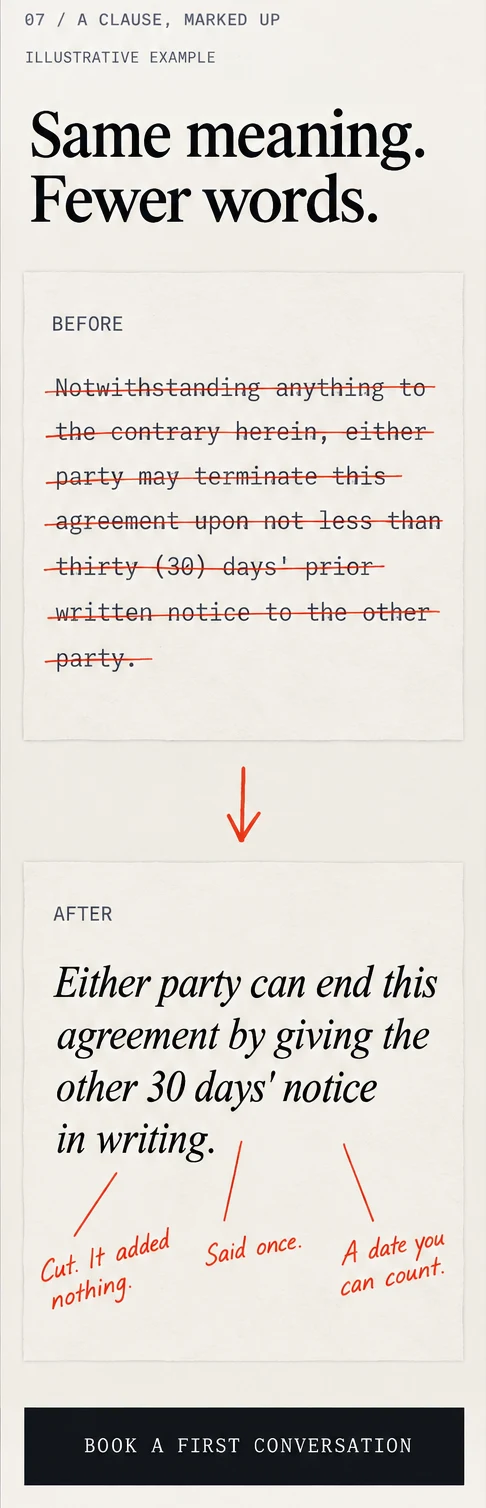
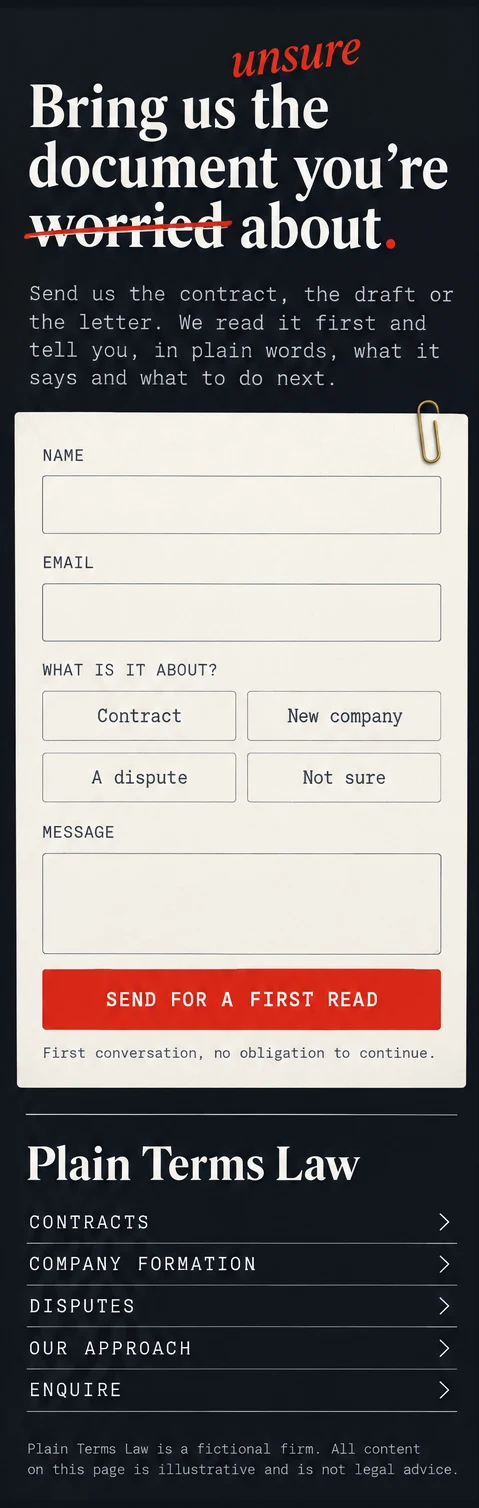
- Buttons run the full width. The Book a first conversation buttons in windows 1 to 3 are about 55 to 62 px tall at phone width, and Send for a first read in window 4 about 48 px (measured on the images).
- One column, nothing side by side. The marked-up clause stacks Before above After, so no line needs a pinch to read.
- The form stays short. Name, email, what it is about and a message, then one button (window 4).
Why it is built this way
Four worries a business owner has before hiring a lawyer, and the part of the page that answers each.
The visitor worriesWill I understand what I am signing?
The design answers, parts 1 and 8The first screen and the worked clause show jargon struck out and a plain sentence written in its place, so the claim is shown, not just stated.
The visitor worriesWill it cost more than I expect?
The design answers, part 6Three ways of charging are explained without numbers, with the promise to agree the fee in writing before work starts.
The visitor worriesWhat happens after I get in touch?
The design answers, part 5Four steps: send it, first call, mark up, you decide. The first call is labelled no obligation to continue.
The visitor worriesWho am I dealing with?
The design answers, part 7One named lawyer, no handoffs, a written summary and conflicts checked. The page leaves real names and registration details to the firm.
What this would do for your business
A page like this has one job: turn people who are unsure into people who ask for a first conversation. This concept has never run for a real firm, so we have no results to show and will not invent any.
What we can promise is that you would be able to see what it is doing. We would set up the measuring when the site goes live, so after a few weeks you can tell what works and what to change. We do not promise a number of enquiries: that depends on your firm, your area and your fees.
What we would measure
- Enquiries. How many people send the form, and what they say it is about.
- Calls. Taps on the phone number, and where they came from.
- Form completions. How many start the form, and how many finish it.
What we need from you
- Your services. What you do, and what you do not take on.
- How you charge. In your own words, so the fees part is true.
- Your lawyers. Names, roles and registration details.
- A sample clause. One real contract term you would rewrite in plain words, with the client’s details removed.
- Contact details and hours. Address, phone and who answers enquiries.
- Your legal and regulatory wording. Any disclaimer your regulator requires.
You answer these questions and review the plan and design before anything goes live. Two design revision rounds are included.
Want clients to feel ready to call?
Tell us about your project and we reply with next steps. No cost, no obligation.